
ESTIMATE SMARTER
EstimateFlow Pro: WordPress Estimate Calculator for Service Businesses
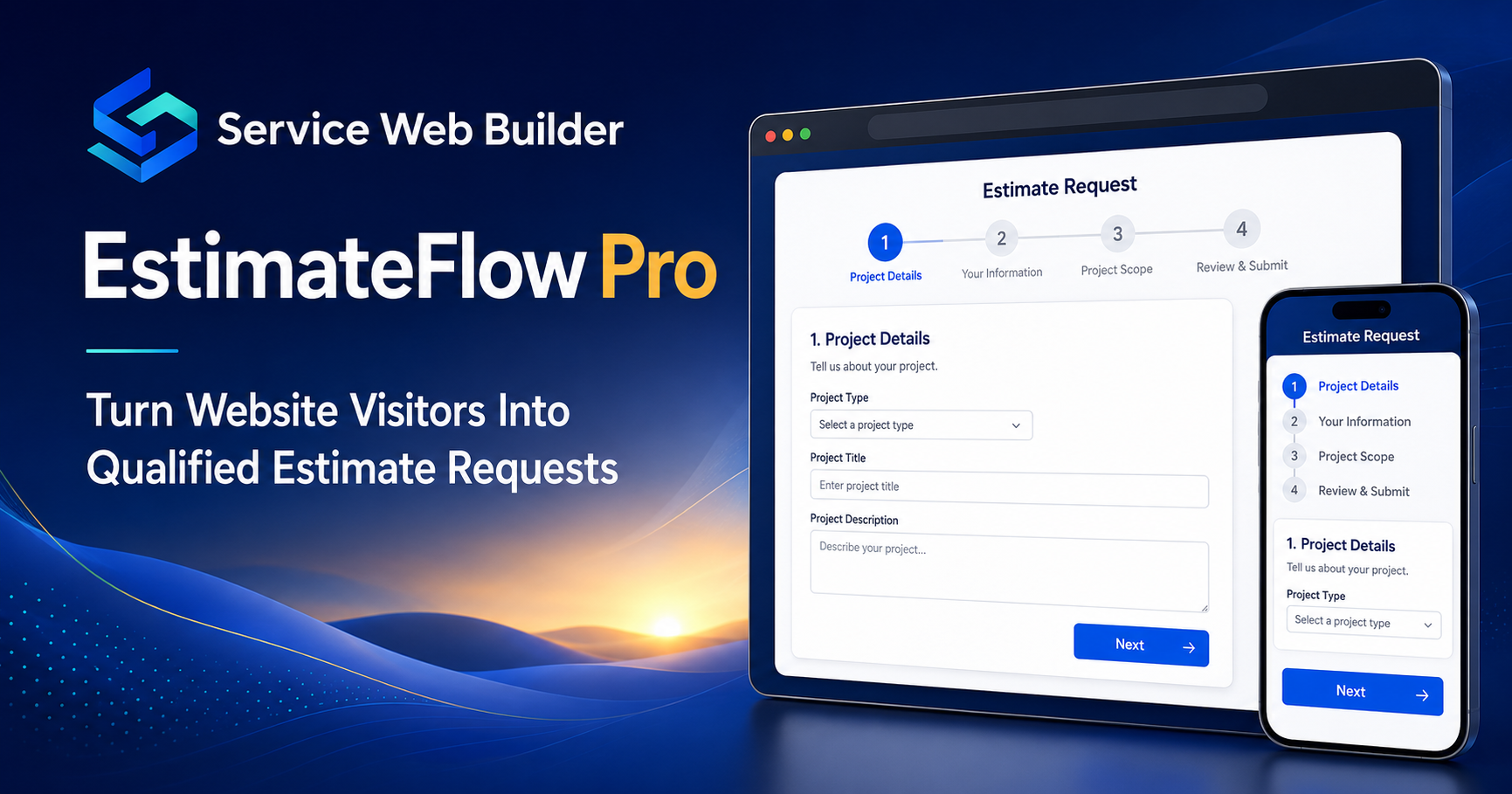
EstimateFlow Pro is a WordPress estimate calculator and lead-capture plugin for service businesses. Build guided multi-step estimate requests, ask service-specific questions, collect optional project photos, provide preliminary pricing guidance from rules you control, and save qualified leads inside WordPress.
Use one estimator across your website or connect different popup estimators to individual service pages. No external AI service is required for the core estimator workflow.
Save Time
Qualify Leads
Collect Photos
Give Pricing Guidance
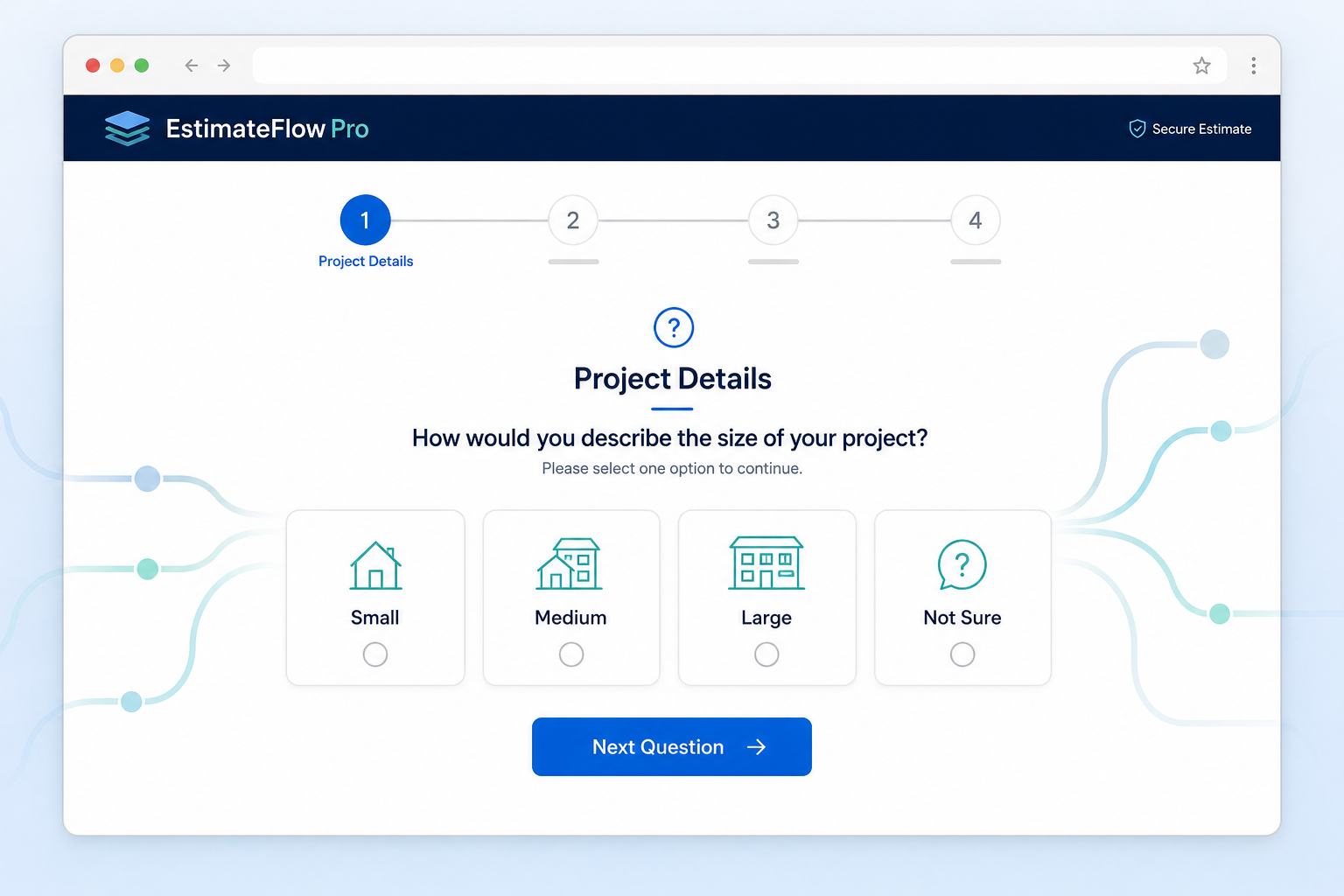
Multi-Step Estimate Flows
Long contact forms can overwhelm visitors and still leave important questions unanswered. EstimateFlow Pro breaks the request into a focused sequence, showing one clear decision at a time. You choose the questions, answer options, and pricing logic for each service.
The result is a professional estimate experience that is easier for customers to complete and easier for service providers to review.
Required-answer validation helps prevent visitors from skipping the details you rely on. On the last step, the customer submits one complete request rather than sending disconnected messages through several channels.
Conditional Questions That Adapt
Build service-specific question paths so customers see relevant follow-up questions based on earlier answers. A junk-removal request can ask about volume, materials, stairs, and access, while a lawn-care request can ask about lot size, grass height, terrain, and trimming.
This keeps the flow focused and helps prevent unrelated questions from slowing down the customer.
You can create unlimited estimators for different services. Each estimator can use its own wording, required answers, preliminary pricing adjustments, and completion message, so the intake experience reflects the service being requested.

Get Project Photos Before You Call
Photos add context that a short message cannot. Customers can upload images of debris, rooms, equipment, property conditions, access points, or other visible job details during the request.
Your team can review those images with the submitted answers before deciding whether to call, request more information, or arrange an on-site visit.
Upload limits and customer-facing instructions help keep the process understandable. Photos are optional, so you can use them only for services where visual context genuinely improves qualification.
Give Customers Useful Pricing Guidance
Use administrator-defined pricing rules to calculate a preliminary estimate range from the customer’s selections. This gives visitors useful guidance without presenting an automated result as a guaranteed final quote.
You remain in control of final pricing. EstimateFlow Pro is designed to guide the conversation, qualify the opportunity, and reduce surprises—not replace professional judgment.
Businesses can present a range rather than false precision, add an editable disclaimer, and explain what happens next.
Better Information
Fewer Repetitive Questions
Faster Follow-Up
01
Customer Starts
02
EstimateFlow Collects Details
03
You Receive a Better Lead
Use EstimateFlow Your Way
Use one estimator across the entire website or choose a different popup estimator for an individual service page. This lets a cleaning page open a cleaning flow while a pressure-washing page opens questions designed for exterior surfaces, square footage, and condition.
The estimator remains a popup rather than becoming part of the indexed page copy. Your page can stay focused on useful service information while the estimate experience opens only when a visitor asks for it.
EstimateFlow also supports shortcode and Elementor-friendly placement when an embedded estimator is appropriate. Separate mobile and desktop floating-display controls let you choose how Call, Text, and Get Estimate actions appear on different devices.
More Than a Basic WordPress Contact Form
A basic contact form usually collects a name, phone number, email address, and one open message. EstimateFlow Pro turns early discovery questions into a structured WordPress estimate request, asking about job type, dimensions, quantities, condition, access, materials, urgency, or other factors that affect the work.
Because the questions are configured around your services, submissions are more useful than generic leads and can include required answers, customer notes, contact information, optional images, and a calculated preliminary range.
Who Is EstimateFlow Pro For?
EstimateFlow Pro is designed for WordPress-based service businesses that need to understand the job before they can confirm a price, including junk removal, landscaping, cleaning, pressure washing, handyman work, moving, contracting, painting, roofing, HVAC, plumbing, electrical work, pest control, and property cleanup.
It is a focused estimate-request and lead-qualification plugin rather than a replacement for scheduling, dispatch, invoicing, payment processing, or a full CRM.
Keep Control of Your Questions, Pricing Rules, and Leads
Your business determines what customers are asked and how preliminary estimate guidance is calculated. The plugin applies the rules you configure; it does not invent prices or use an outside AI service to decide what a job should cost.
Important: every automated result should be presented as preliminary guidance. Actual scope, site conditions, labor, materials, access, taxes, and other factors may change the final price confirmed by the service provider.
Explore the EstimateFlow Pro Website
Real-World Results
See EstimateFlow Pro Working on Real Service-Business Websites
EstimateFlow Pro is actively used by junk-removal, lawn-care, and
post-hole-digging businesses. These case studies show how the plugin
helps customers call, text, answer guided questions, upload optional
project photos, and submit organized estimate requests.
Junk Removal
Abilene Property Cleanup
See how a junk-removal business uses Call, Text, guided estimate
questions, preliminary ranges, and optional project photos to collect
better customer inquiries.
Reported result: The website began receiving customer
inquiries, including image-supported estimate requests, on the same
day EstimateFlow Pro was installed.
Lawn Care
Big Country Lawn Service
See how a lawn-mowing service website uses questions about lot size,
grass height, obstacles, and trimming needs to produce organized
estimate requests.
Reported result: The business owner reported receiving
several customer requests after installing EstimateFlow Pro on the
lawn-service website.
Post Hole Digging
Post Hole Digger Service
See how a contractor can collect the number of holes, depth, diameter,
project type, soil conditions, accessibility, and customer contact
information.
Reported result: The business owner reported phone
calls and several text inquiries from the post-hole-digging website
while EstimateFlow Pro was active.
Simple Pricing for Service Businesses
Choose the EstimateFlow Pro license that fits your WordPress website. Review the included features, website limits, updates and support before purchasing.
Does EstimateFlow work with WordPress?
Can customers upload project photos?
Does EstimateFlow set my final prices?
Explore EstimateFlow Pro Features and Guides
Learn how EstimateFlow Pro helps service businesses create guided estimate requests, provide preliminary price guidance, collect customer information, and make estimate actions easier to find.
- WordPress estimate calculator for Elementor
- Popup estimate form for WordPress
- WordPress preliminary estimate plugin
- WordPress estimate calculator with lead capture
- How to price services with an online estimate calculator
- Best WordPress estimate plugin for junk removal
- WordPress estimate plugin with floating buttons
- WordPress estimate plugin with email notifications
See the complete EstimateFlow Pro features, try the live demo, or review pricing.