
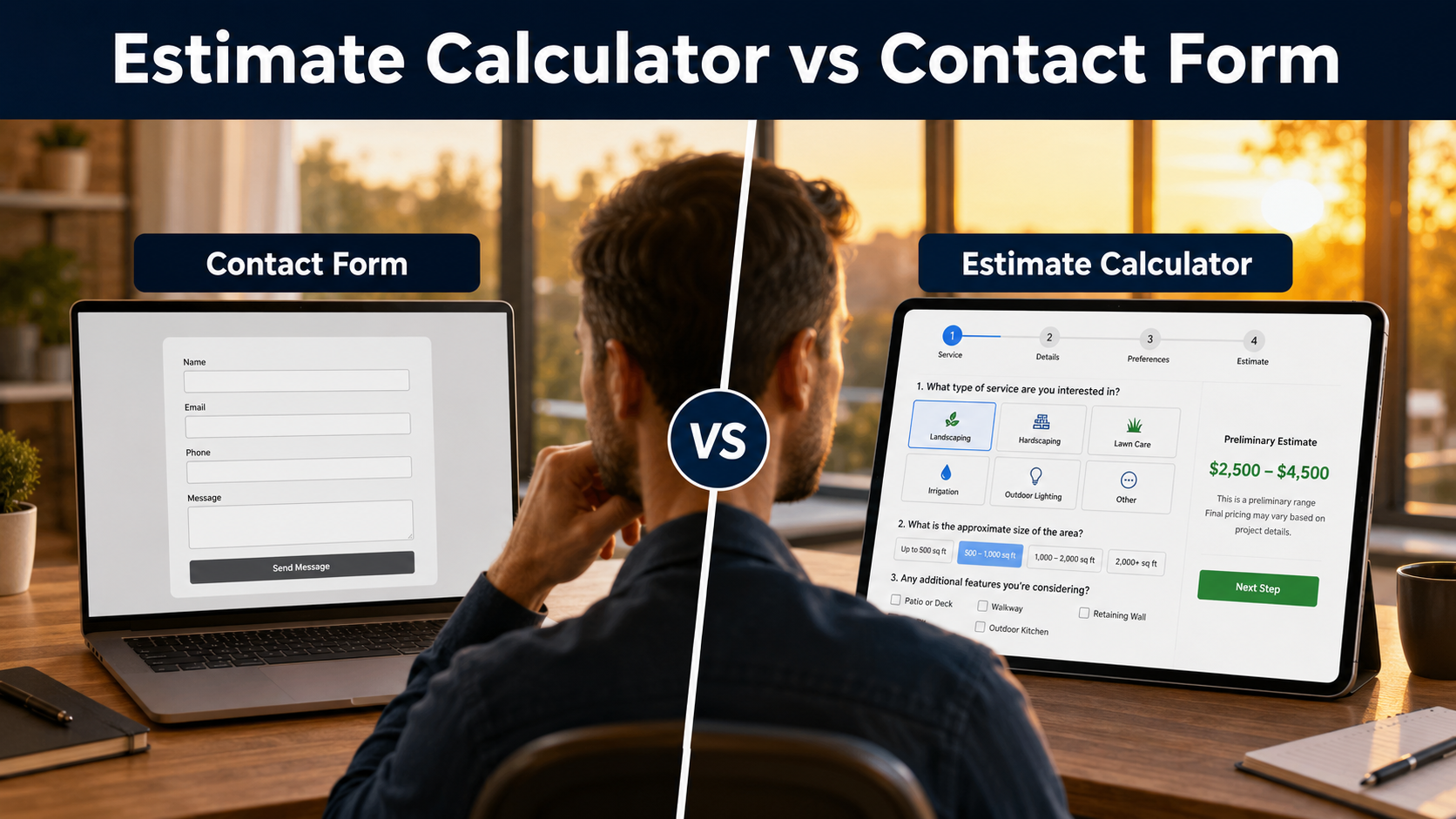
Estimate Calculator vs Contact Form
Quick Comparison
| Decision factor | Basic contact form | Estimate calculator |
|---|---|---|
| Completion effort | Usually short and fast | More steps because it gathers job details |
| Project information | Often depends on an open message box | Uses structured questions and required answers |
| Price guidance | Normally none | Can show a responsible preliminary range |
| Setup | Simple | Requires question and pricing-rule planning |
| Best fit | General messages and simple inquiries | Variable services needing qualification |
Low effort
Broad purpose
Simple upkeep

Where Basic Contact Forms Often Fall Short
- The service type may be unclear.
- Size, quantity, condition, and access details may be missing.
- Visitors receive no explanation of the factors that affect pricing.
- Important answers cannot be required in a logical sequence.
- Project photos may not be available or may arrive separately.
- Every submission requires more interpretation before follow-up.
These limitations matter most when the business routinely needs the same project details before it can respond usefully.
What an Estimate Calculator Adds

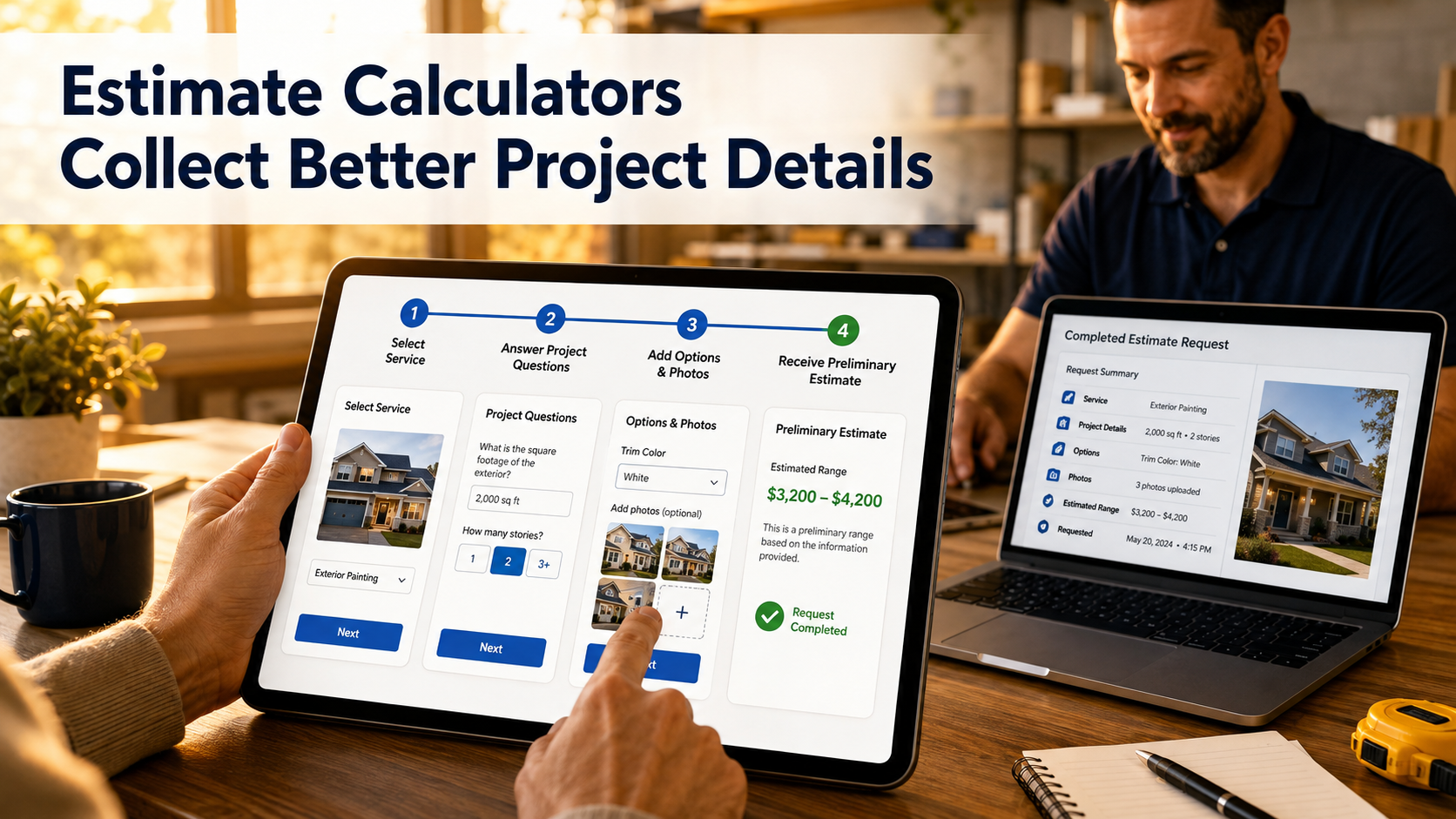
Contact-form lead
Estimator lead
Setup and Maintenance Are Different
- Test validation, calculations, photo uploads, email, and lead records.
- Review the estimator on mobile and desktop.
- Update pricing rules when the underlying business method changes.
- Keep unsupported work and preliminary-range wording accurate.
- Continue offering a general contact route for questions outside the estimator.
When You Should Not Use an Estimate Calculator
A Hybrid Website Often Works Best

Decision Checklist
Choose a basic contact form when most of these statements are true:
- The inquiry can be handled from a short message.
- No useful preliminary price guidance can be provided.
- The website needs one broad route for many unrelated questions.
- The business does not need structured project answers before responding.
Choose an estimate calculator when most of these statements are true:
- The same qualifying questions are asked repeatedly.
- Service cost depends on customer-selectable factors.
- Required answers and photos improve follow-up.
- The business can explain preliminary guidance responsibly.
- Different services need different question paths.
Estimate Calculator vs Contact Form FAQs
Does an estimate calculator replace a Contact page?
No. A general Contact page remains useful for messages that do not fit an estimate flow.
Is a calculator guaranteed to produce more leads?
No. It may improve the structure of estimate requests, but outcomes depend on traffic, design, service fit, and follow-up.
Can a calculator work without displaying a price?
Yes. It can collect structured project details and route the request to manual review.
Should every service use the same calculator?
Not necessarily. Different services may need separate question flows and page-specific estimator selection.
Is the calculated result a final quote?
It should be labeled as preliminary guidance unless the business can genuinely support a fixed final price.
Can I use both options?
Yes. A hybrid setup is often the clearest choice for a service-business website.
Compare the Live Experience
Explore Estimate Calculator Resources
Learn more about the WordPress estimate calculator plugin, compare options for an online estimate form for WordPress, explore EstimateFlow Pro features, try the live demo, or view pricing.
You can also learn how to create an online estimate form or explore an estimate calculator for service businesses.
If you are ready to replace a basic contact form, explore our comparison of the best WordPress estimate calculator plugins and the features to consider before choosing one.