
How to Create a Plumbing Estimate Calculator in WordPress
A plumbing estimate calculator for WordPress collects the project details that affect preliminary pricing, applies rules set by the plumbing company, and sends an organized request for review.
A useful calculator can ask what plumbing service is needed, where the problem is located, whether water is actively leaking, which fixtures are involved, how accessible the work area is, and whether the customer can provide photos. The result should be presented as preliminary guidance because diagnosis, parts, code requirements, concealed damage, and site conditions can change the final price.
Collect Plumbing Project Details
Apply Your Own Price Factors
Show Preliminary Guidance
Capture Better Plumbing Leads
What Is a Plumbing Estimate Calculator for WordPress?
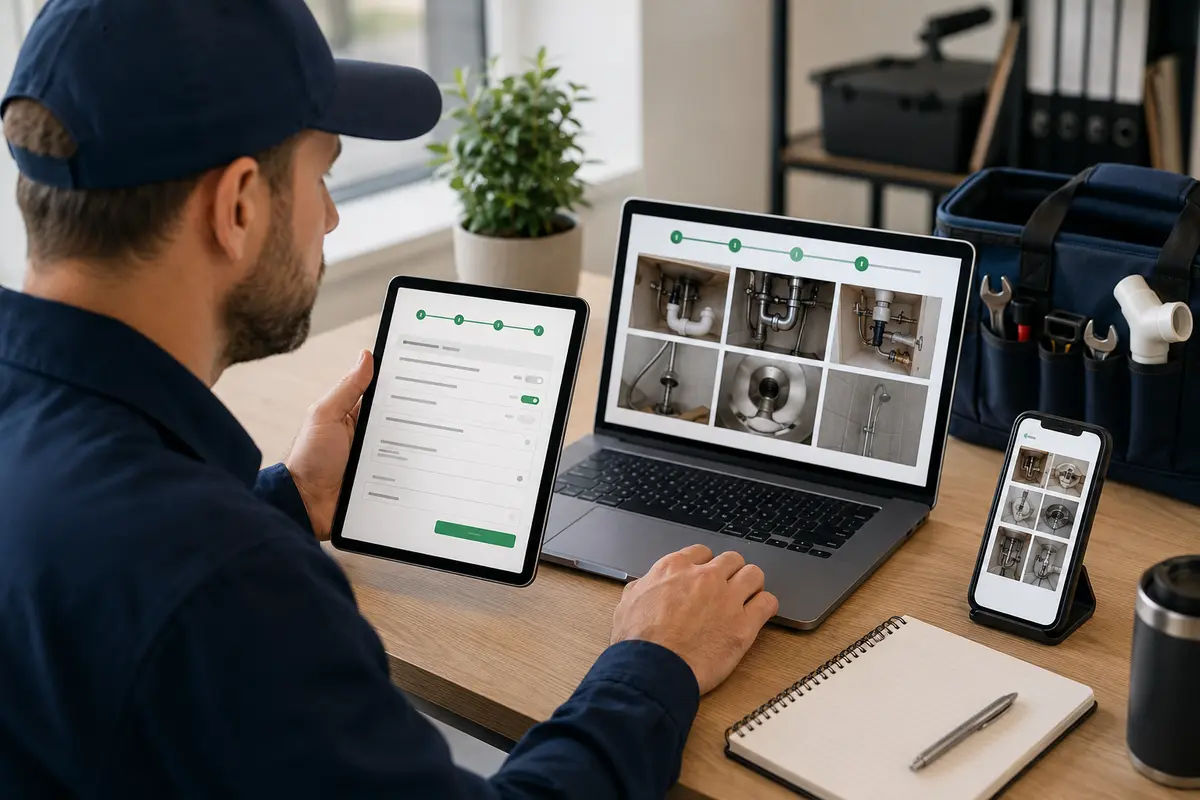
A plumbing estimate calculator for WordPress is an interactive website tool that guides a visitor through service-specific questions and uses pricing logic chosen by the plumbing company. It can display a preliminary range and record the complete request for follow-up.
The calculator helps separate common requests such as drain cleaning, faucet replacement, toilet repair, water-heater work, garbage-disposal replacement, leak investigation, and fixture installation. Each service can use questions that match the information the business needs before calling the customer.
The estimator should not claim to diagnose concealed plumbing problems. A leak behind a wall, damaged pipe below a slab, code issue, unavailable shutoff, or unexpected corrosion may not be visible online. The business must verify the problem and approve the final work. For the broader strategy, visit the service-business calculator hub and the WordPress estimate calculator plugin guide.
Plumbing Questions to Include in the Calculator
Start by asking which service the customer needs and where the problem is located. Follow with clear choices for the affected fixture or system, the symptoms they can observe, when the problem began, whether water is currently leaking, whether a shutoff is available, and whether the area is accessible.
Service-specific paths can ask about the number of drains, type of water heater, fixture supplied by the customer, approximate pipe material, floor level, crawlspace or slab access, and previous repair attempts. Include “not sure” when a homeowner cannot identify a technical detail safely.
Plumbing Factors That Can Change Preliminary Pricing
Plumbing prices can depend on service type, labor time, fixture quantity, parts, access, pipe material, demolition, disposal, permits, code corrections, emergency timing, and whether concealed damage is discovered. The business should configure every pricing adjustment using its own verified costs and service policies.
A preliminary range is usually safer than an exact total. Explain which customer answers influenced the result and state that diagnosis, parts availability, taxes, permits, and conditions found onsite may change the final proposal.
Use Clear Required-Answer Validation
Optional Plumbing Project Photos
Plumbing-Specific Customer Wording
Create Different Flows for Different Services
Place It on the Right Service Page
Review Every Request Before Final Pricing
Connect the Calculator to Helpful Plumbing Content
Example Plumbing Estimate Calculator Workflow
A drain-cleaning flow might ask which fixtures are affected, whether the drain is slow or fully blocked, whether more than one drain is involved, whether sewage is backing up, how long the condition has existed, and whether earlier attempts were made.
A water-heater path would ask whether the customer needs repair or replacement, the current fuel type, tank or tankless configuration, approximate capacity, equipment age, symptoms, location, access, and whether leaking water is present. The visitor then enters contact details and can attach photos of the equipment label and surrounding area.
The calculator can display preliminary guidance after the questions or collect the lead first, depending on the business workflow. The plumber reviews the complete submission before diagnosing the problem or approving a final quote.
How to Build the Plumbing Calculator Step by Step
Write down the questions your team asks during the first telephone conversation. Divide them into short logical steps, use customer-friendly answer choices, provide “not sure” where needed, and require only essential details. Add pricing adjustments from your own service data and test every branch before publishing.
Use Price Ranges Carefully
Some plumbing jobs are predictable, while others depend heavily on diagnosis. Use a range when labor, parts, access, or concealed conditions remain uncertain. Display a visible disclaimer explaining that the result is based on customer-supplied information and is not a final contract price.
Improve Lead Quality Without Creating a Long Form
Begin with the request type, symptoms, location, and urgency. Show follow-up questions only when they apply. A faucet-installation customer should not have to answer sewer-line questions. Short answer choices are faster than large text boxes, while a final notes field can capture unusual details.
Test Every Plumbing Estimator Path
Test every service selection, conditional question, required field, price adjustment, photo upload, notification, button, and confirmation message. Check the estimator on mobile and desktop, and confirm that floating Call, Text, and Get Estimate controls do not cover important content.
Why a Plumbing Calculator Can Beat a Basic Contact Form
A basic contact form often provides only a name and short message. A plumbing calculator can collect structured symptoms, service type, affected fixtures, access details, urgency, and photos before the first callback. Compare an estimate calculator with a contact form and learn how to create an online estimate form for WordPress.
What a Plumbing Calculator Cannot Confirm Online
An online calculator cannot inspect concealed pipes, determine the precise source of a leak, verify code compliance, test pressure, assess water quality, locate underground damage, confirm parts, or identify every safety issue. Emergency conditions should be directed to immediate telephone assistance or the appropriate emergency service instead of relying on an automated estimate.
Explore Related WordPress Estimate Calculator Pages
Continue through the service-business estimate calculator hub or compare related examples for roofing companies, HVAC companies, electrical contractors, general contractors, and remodeling companies. You can also review EstimateFlow Pro features, try the live demo, and view pricing.
Build a Plumbing Estimate Flow for Your WordPress Website
EstimateFlow Pro lets plumbing companies create custom questions, apply their own pricing adjustments, show preliminary ranges, collect contact details and optional photos, and review every submission before approving the final work.